Alerts and celebrations your chat will notice
Custom messages and sounds for likes and subscribers, plus full-screen celebrations when someone gifts or donates. They play on your stream and on your own PC.
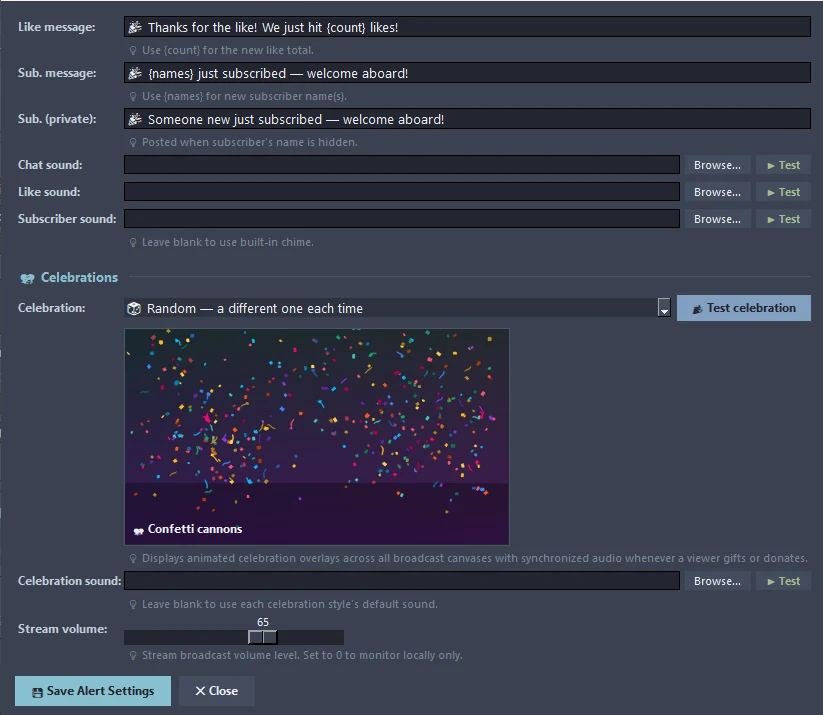
Alerts & Celebrations in detail
Message templates
Write the chat message for new likes and new subscribers. Use {count} for the like total and {names} for subscriber names, and set a separate message for when a name is hidden.
Your own sounds
Pick a sound for chat, likes and subscribers, or leave blank for the built-in chime. Each has a Test button.
Six celebrations
Confetti cannons, fireworks, balloons, a gold coin shower, floating hearts, or sparkles and shooting stars. Choose one, or Random so it is never the same twice running.
Stream volume
The celebration sound goes out on the stream at the volume you set. Set it to 0 to hear it only on your PC.
Test it first
Test celebration plays on the dialog, on the canvases and, if you are live, on the stream.
On every canvas
Celebrations are drawn over every broadcast canvas with synchronized audio, and bigger gifts get bigger celebrations.
From start to finish
Turn on Celebrations
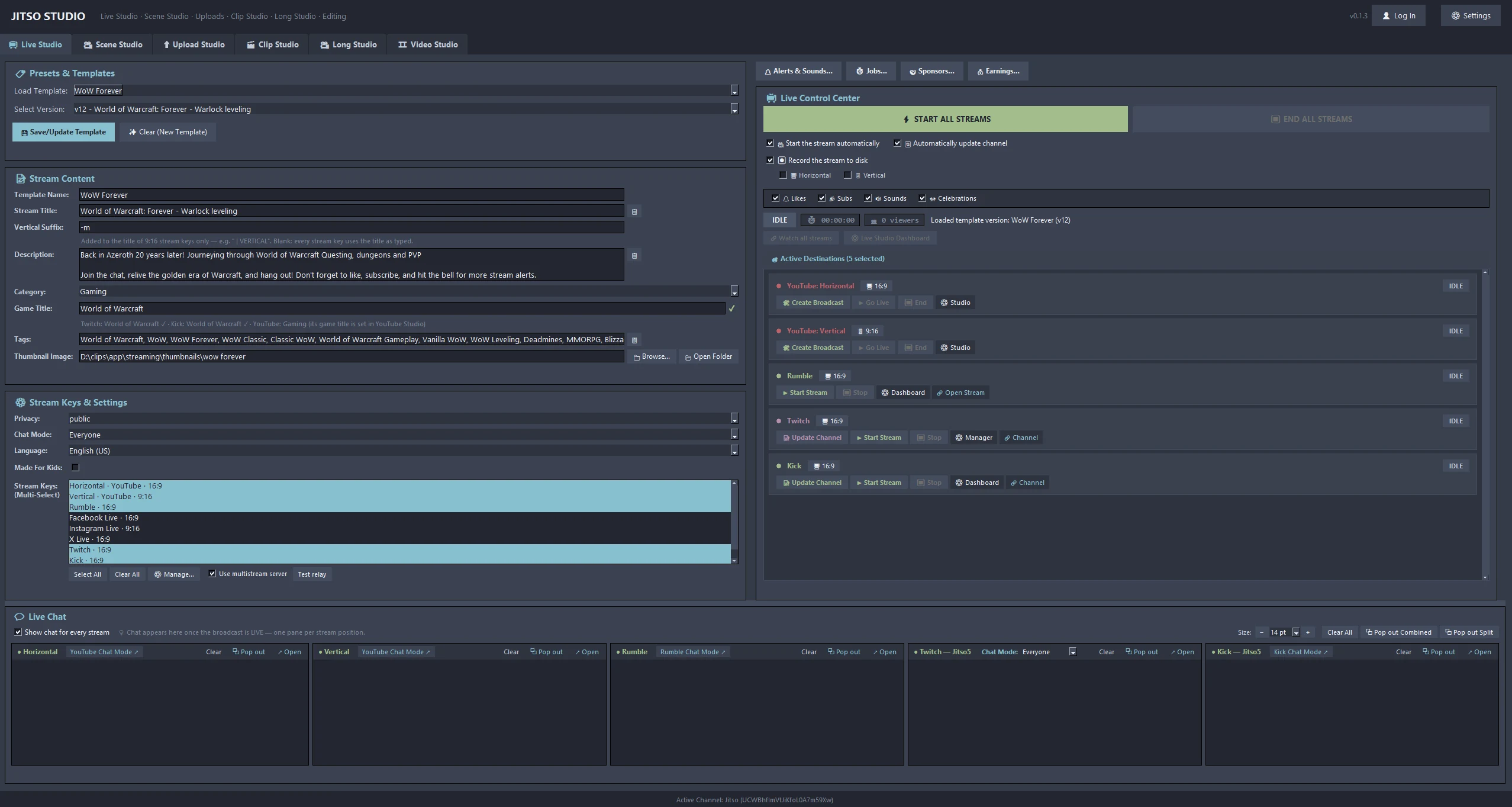
A checkbox in Live Studio, next to Likes, Subs and Sounds.
Open Alerts & Sounds
Press 🔔 Alerts & Sounds… in Live Studio to edit messages, sounds and the celebration style.
Add an Alerts source
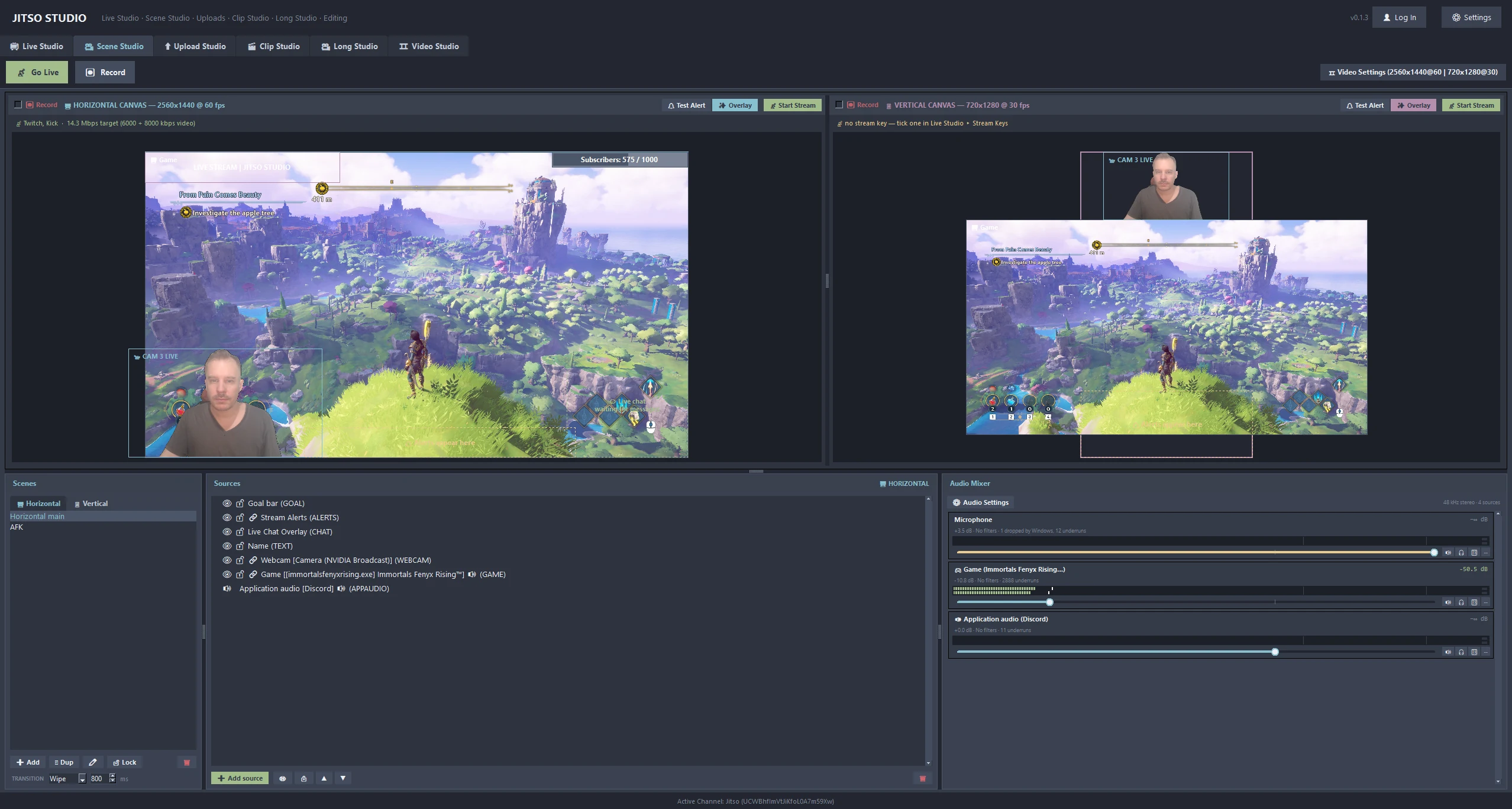
Put the alerts source in a scene (see Scene Studio) so the text shows on screen.
Good to know
- YouTube: Super Chats, Super Stickers, Jewels and membership gifts. Twitch: bits, gifted subs, charity donations, Power-ups, plus subs, raids and follows. Kick: gifted subscriptions.
- Twitch Power-ups and charity need a sign-in that includes the bits and charity permissions, so sign out and in once in Settings.
- RTMP-only destinations such as Facebook and TikTok have no event connection, so nothing is celebrated for them.
- A 50-sub community gift is one celebration, not 51.
Related features
Transform your creator workflow today
Stream live, let AI curate your highlights, and publish your clips to YouTube and other platforms.