A full multitrack editor inside your studio
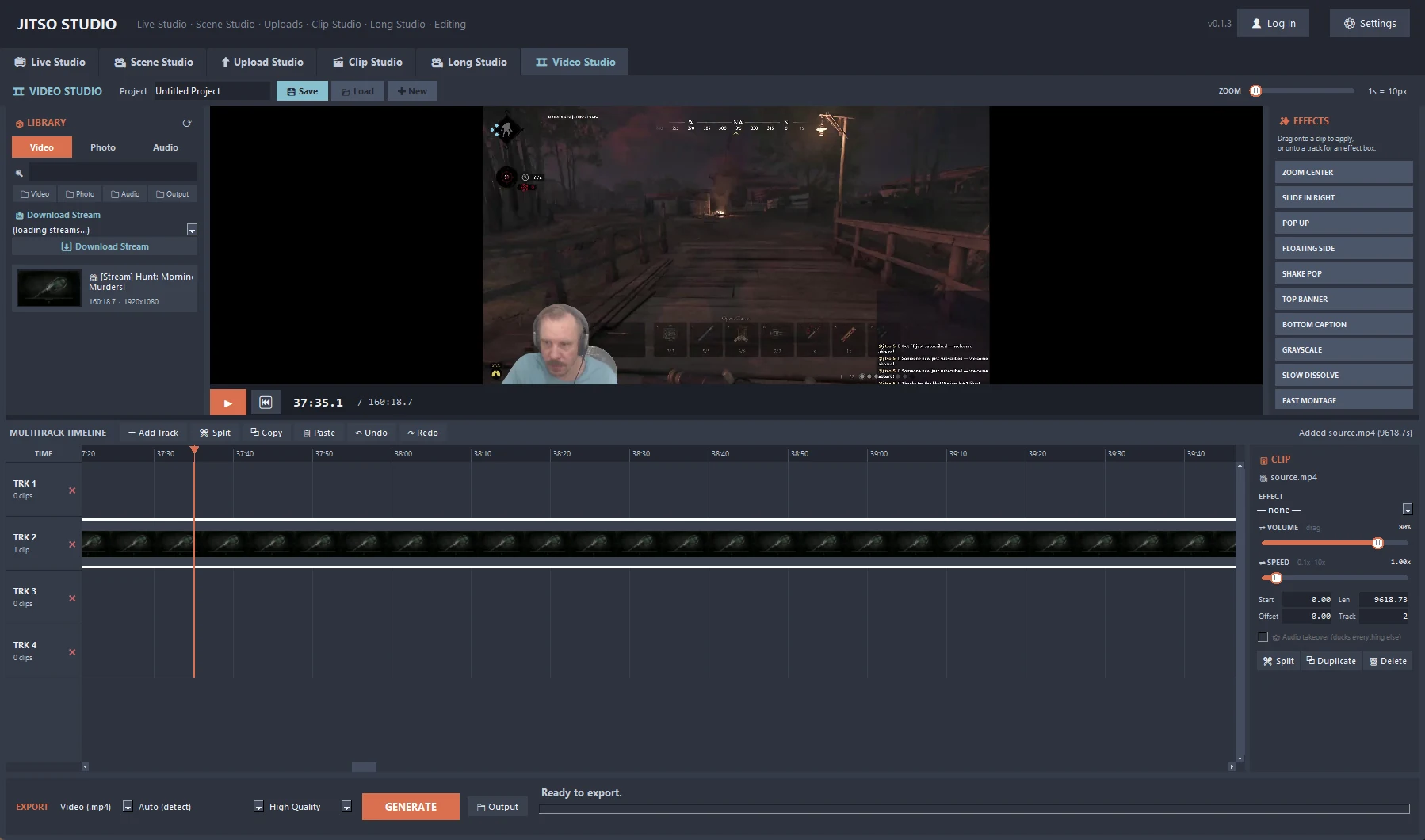
Arrange clips from your library on multiple video and audio tracks, apply effects and edit each clip's properties without leaving the app.
Video Studio in detail
Multitrack timeline
Drop clips from the library onto video and audio tracks, drag to move, drag an edge to trim, and split at the playhead. Snap, and right-click a track for snap all left.
40 built-in effects
Zooms, slides, glitch, vintage and colour looks, applied from the effect library.
Clip inspector
Volume, speed (0.1× to 10×), length, start, source offset, track and audio takeover for the selected clip.
Preview with sound
A monitor with live preview and audio, so you hear the joins before exporting.
Fast editing
Ctrl+click and Shift+click for multi-select, Ctrl+Z/Y undo and redo, Ctrl+C/V, Delete, arrow keys to nudge by 0.1 s, and Space to play.
Export
MP4 video or MP3 audio. The export shows which pass is running, a progress bar, elapsed time and time remaining.
From start to finish
Fill the library
Add clips from Clip Studio or any folder.
Build the timeline
Drag clips onto tracks, trim, split and layer audio.
Add effects
Apply effects and adjust each clip in the inspector.
Export
Render MP4 or MP3 to your output folder.
Good to know
- Projects are saved as files on your disk, and the editor runs inside the app tab with no server or browser.
- Playback sound uses ffplay, which ships with ffmpeg.
Related features
Transform your creator workflow today
Stream live, let AI curate your highlights, and publish your clips to YouTube and other platforms.