
An automated batch calendar for non-stop channel growth
Point it at your clips folder and set a daily posting cap. The scheduler spreads YouTube uploads over the coming days so your channel stays active while you play.
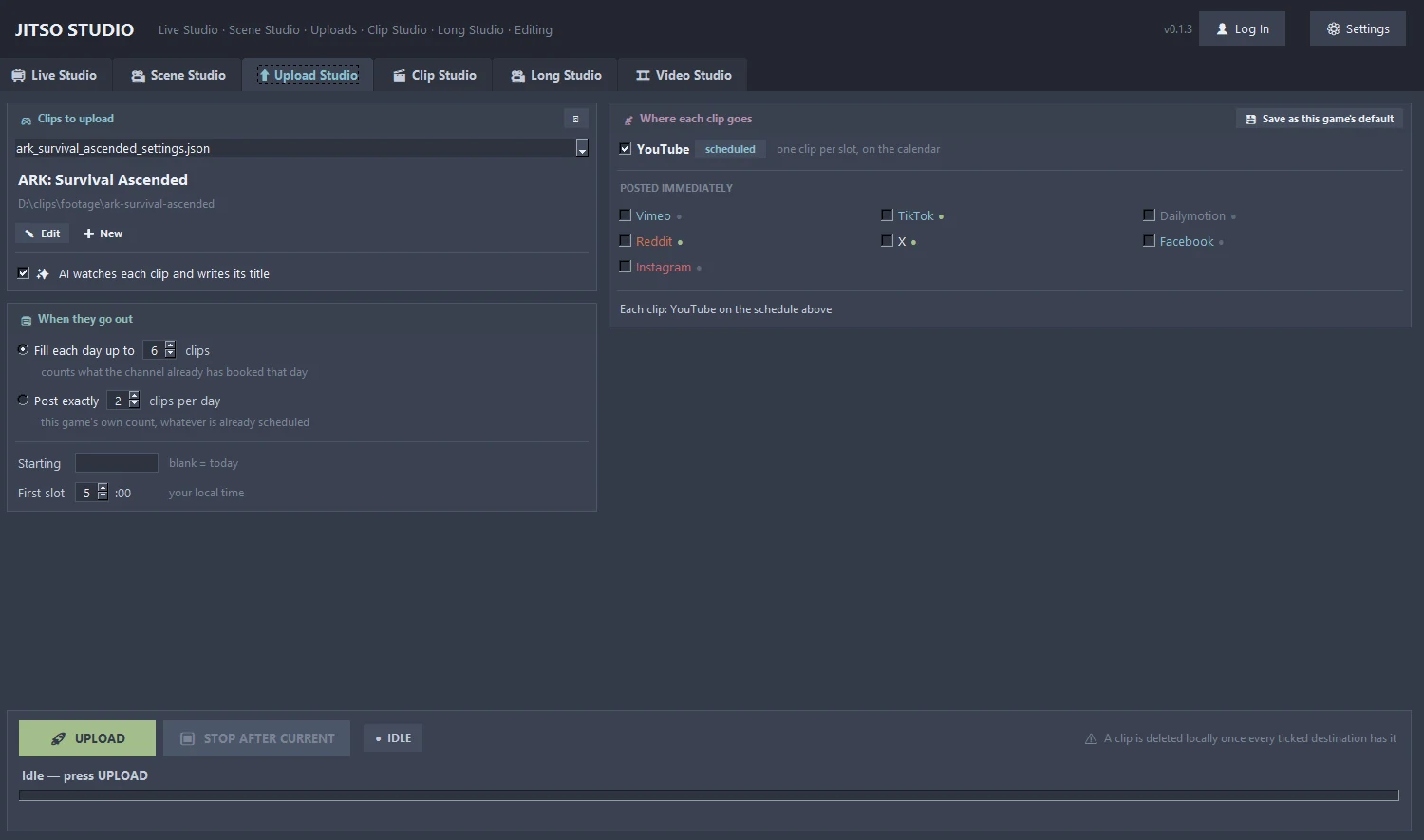
Upload Studio in detail
Daily cap scheduling
Set how many videos go out per day and the scheduler fills the next days for you.
No double-booking
It checks your existing YouTube schedule so two videos never take the same slot, and remembers what was already uploaded.
Beyond YouTube
In the same batch, post to TikTok, Instagram, Facebook, Vimeo, Dailymotion, Reddit and X. Tick the ones you want; each has its own sign-in in Settings.
AI titles
Titles for your clips can come from whichever AI you set in Settings.
Finishes the job
A re-run after a failure completes the missing destinations without double-posting. A clip is removed locally only when every ticked destination has it.
Quota tracker
YouTube quota is per Google Cloud project. Settings shows a tracker per project and the local reset time.
From start to finish
Choose the clips folder
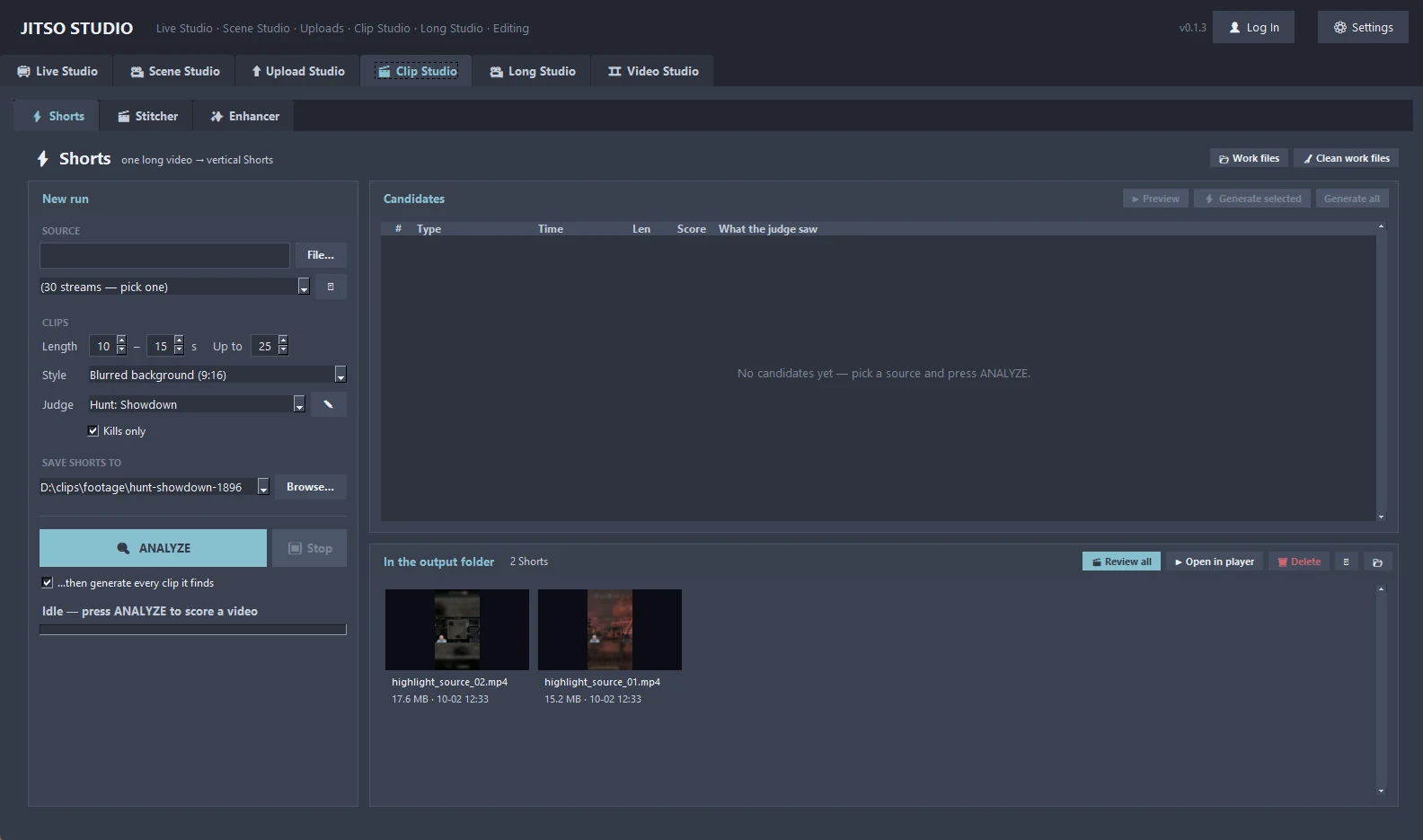
Usually the output folder of Clip Studio.
Set the cap and destinations
Pick the daily limit and tick the platforms.
Schedule
YouTube uploads are scheduled across days. Other platforms publish as the batch reaches them.
Good to know
- Only YouTube is scheduled in advance; the other platforms post as the batch reaches them.
- A new Google Cloud project has 10,000 quota units per day, enough for about 6 uploads. Giving going-live and uploading separate projects keeps one from using up the other's budget.
Related features
Transform your creator workflow today
Stream live, let AI curate your highlights, and publish your clips to YouTube and other platforms.