Compose two canvases at once, then switch scenes live
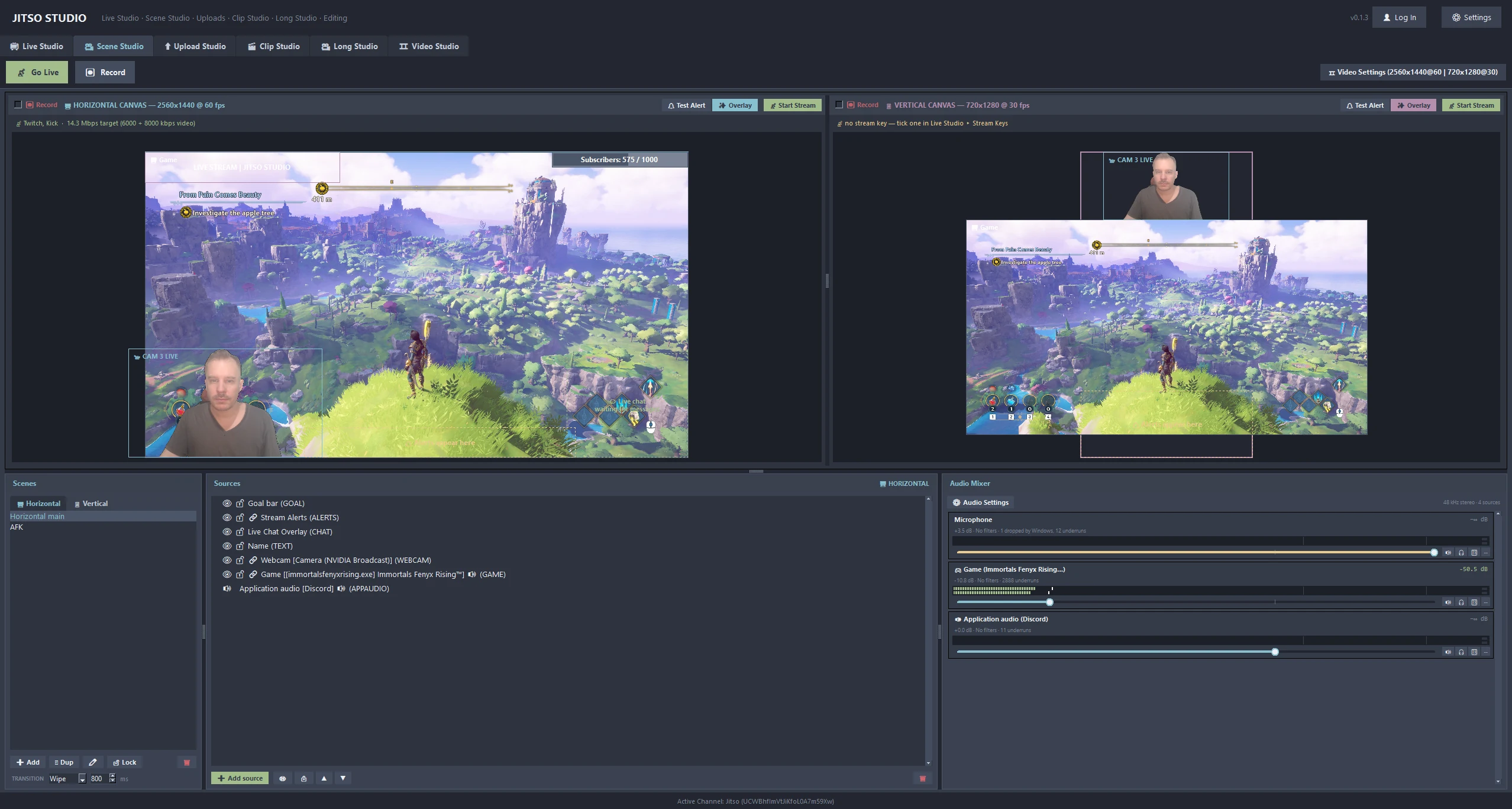
Build your horizontal stream and your vertical Shorts stream side by side. The vertical view is not a crop: it has its own scenes, overlays and sources.
Scene Studio in detail
Two canvases, one window
A 16:9 canvas for the main stream and a 9:16 canvas for Shorts, TikTok and Instagram. Each has its own scenes, overlays and sources, and the app runs one encode per canvas.
14 source types
Cameras, screens, application windows, games, application audio, audio inputs, live chat, alerts, text, images, goal bars, web pages, countdowns and media.
Audio mixer
Microphones, desktop audio and the sound of individual applications, each with its own fader and level meter. Every scene has isolated audio, so a scene that is not on air never plays or leaks sound.
Scene transitions
Cut, fade, slide, wipe and stinger transitions. Scenes switch inside the running stream, so the encoder is not restarted and no frames are dropped on RTMP or SRT.
Mic monitoring
Hear yourself in your headphones with a sidetone monitor and its own volume. Windows audio capture is event-driven for low latency, and physical microphones are told apart from virtual cables and loopback devices.
Camera tools
Webcam background removal, source cropping, a cursor on/off switch for screen capture, and a warning when a camera is keyed out completely.
From start to finish
Add sources
Drop cameras, game capture, text, chat and alert sources into a scene.
Lay out both canvases
Arrange the horizontal canvas, then give the vertical canvas its own layout.
Balance the mix
Set faders for your mic, desktop sound and individual apps while watching the meters.
Switch while live
Change scenes with a transition. The stream keeps running.
Good to know
- Preview colour and the splitter position are remembered between sessions.
- Goal bars, chat and alerts are sources, so they appear on the stream and in the recording.
Related features
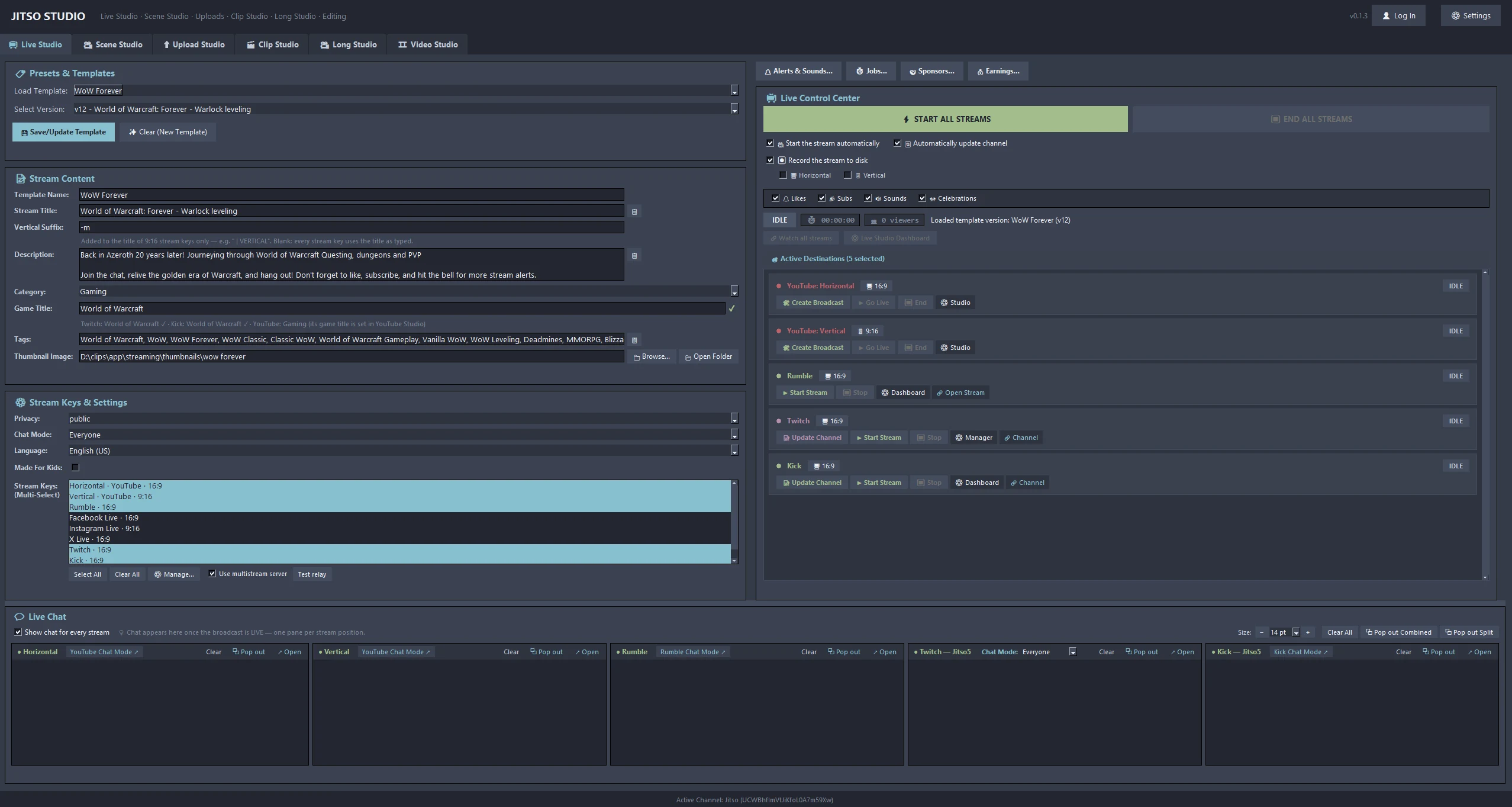 📺 Live StudioOne-click broadcast with title and category sync to YouTube, Twitch and Kick.Learn more →
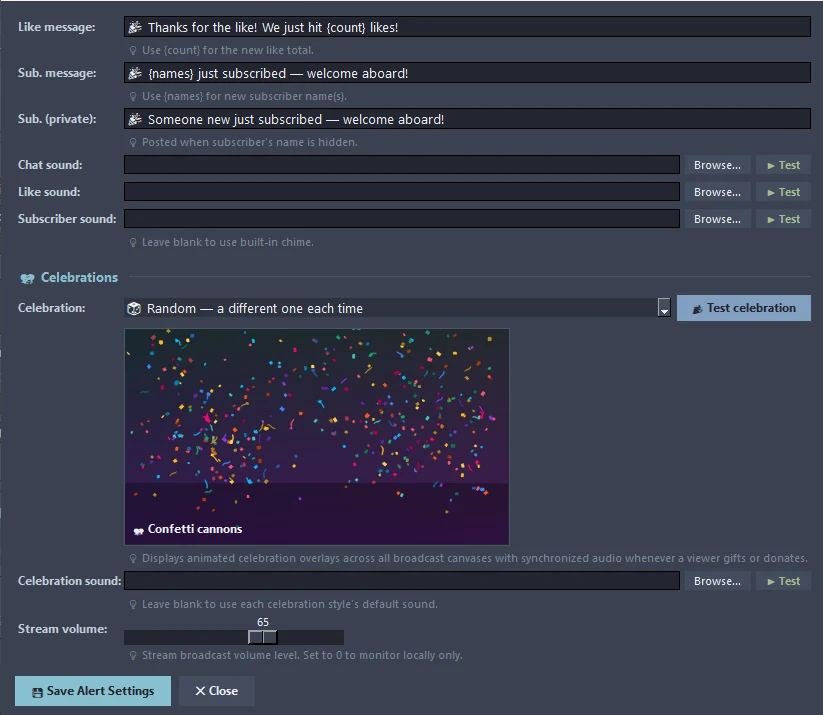 🔔 Alerts & CelebrationsThank-you messages, sounds and animated celebrations for gifts and donations.Learn more →📡 Multistream12 destinations, one encode per canvas, and an optional relay server.Learn more →
Transform your creator workflow today
Stream live, let AI curate your highlights, and publish your clips to YouTube and other platforms.