
Everything you earn from streaming in one dashboard
See total earnings, the month so far, a monthly breakdown and your latest transactions without opening four different sites.
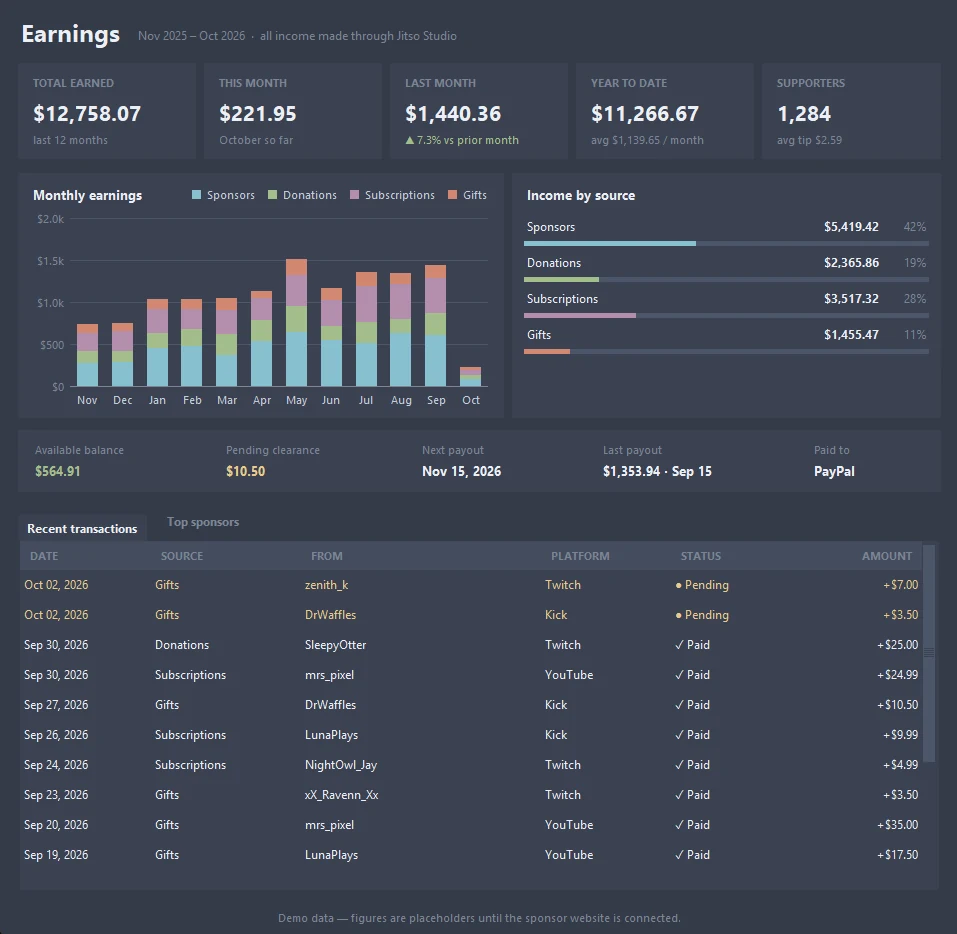
Earnings in detail
At a glance
Total earned over 12 months, this month so far, last month with the change against the month before, year to date with the monthly average, and your supporter count.
Monthly chart
Stacked bars per month, split into Sponsors, Donations, Subscriptions and Gifts.
Income by source
Each source with its amount and its share of the total.
Balance and payouts
Available balance, pending clearance, next payout date, last payout and where it is paid.
Recent transactions
Date, source, who it came from, platform, paid or pending status, and the amount.
Top sponsors
A second tab ranks your sponsors by what they have paid.
From start to finish
Open Earnings
Press 💰 Earnings… in Live Studio.
Read the summary
Cards and the chart show where income comes from.
Check transactions
Pending items turn to paid when they clear.
Good to know
- Sponsor income depends on the Sponsors feature, which is also an early preview.
Related features
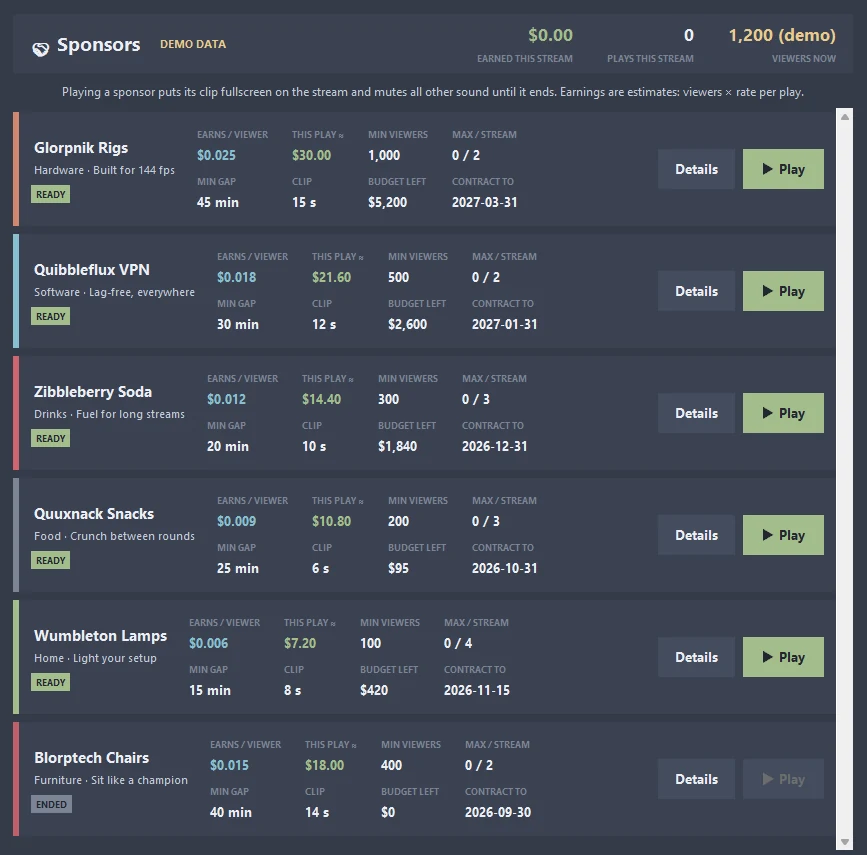 🤝 SponsorsPlay a sponsor's clip fullscreen on your stream and see exactly what it earns.Learn more →
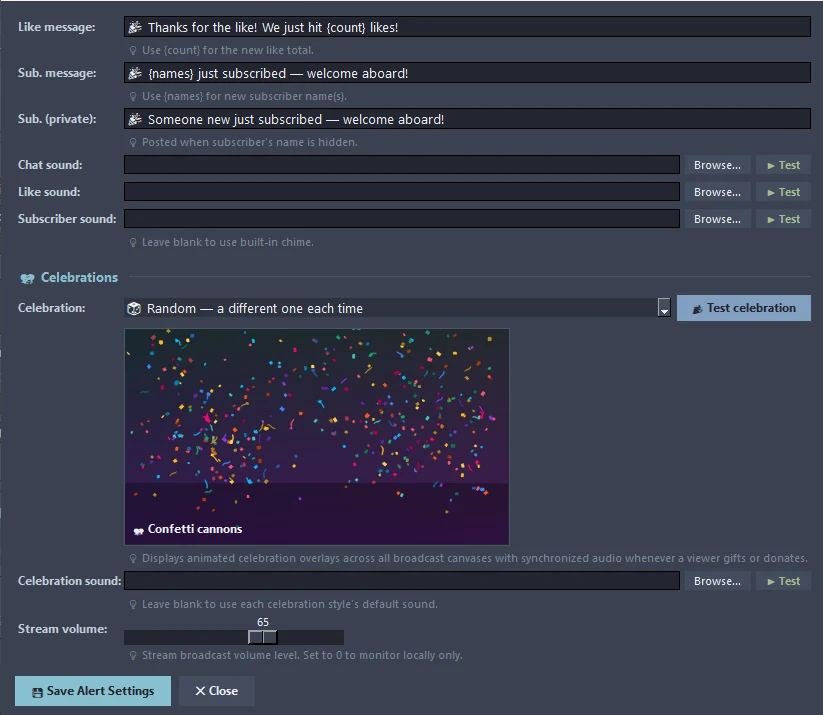 🔔 Alerts & CelebrationsThank-you messages, sounds and animated celebrations for gifts and donations.Learn more →
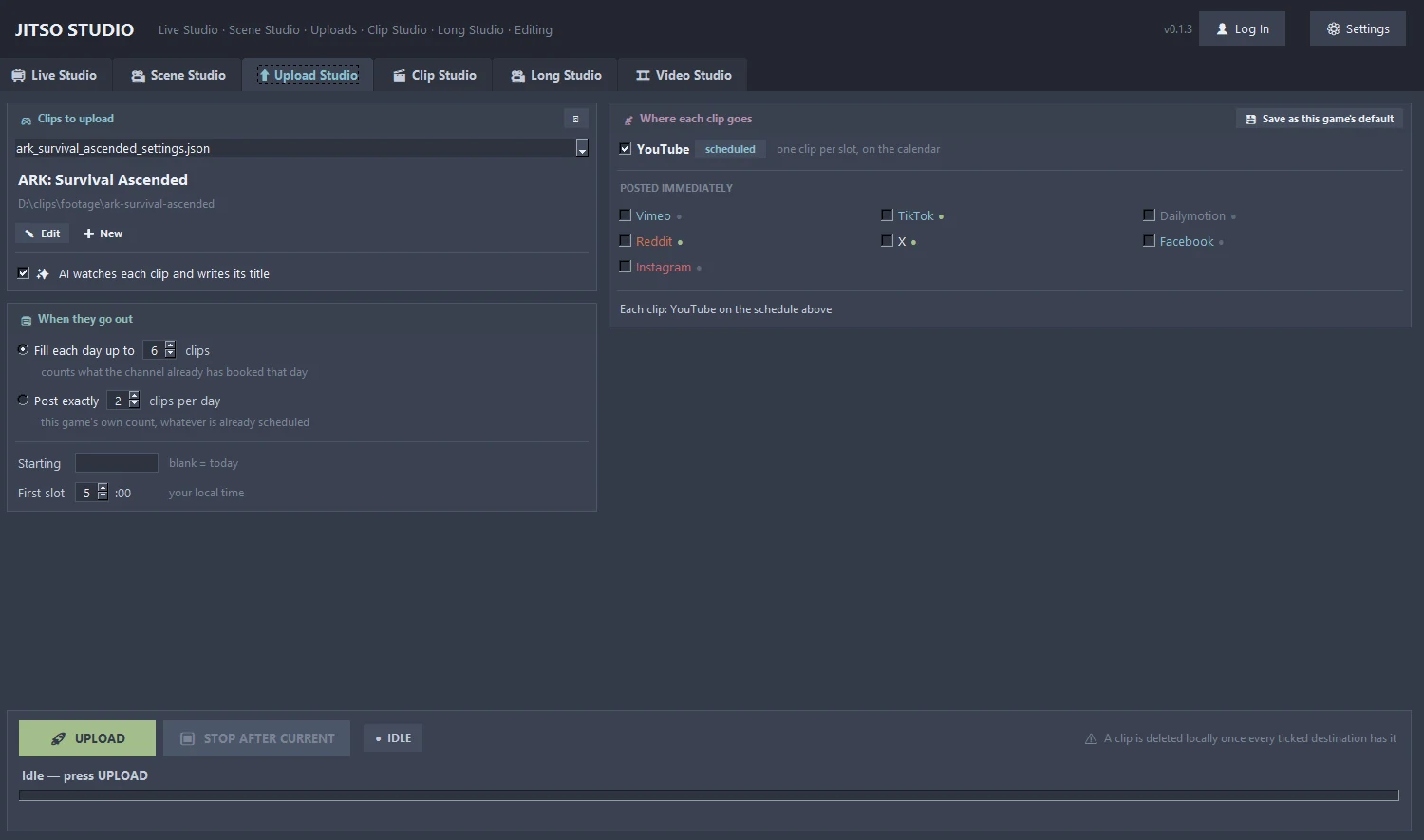 ⬆ Upload StudioBatch calendar that spreads uploads across days and posts to 8 platforms.Learn more →
Transform your creator workflow today
Stream live, let AI curate your highlights, and publish your clips to YouTube and other platforms.